
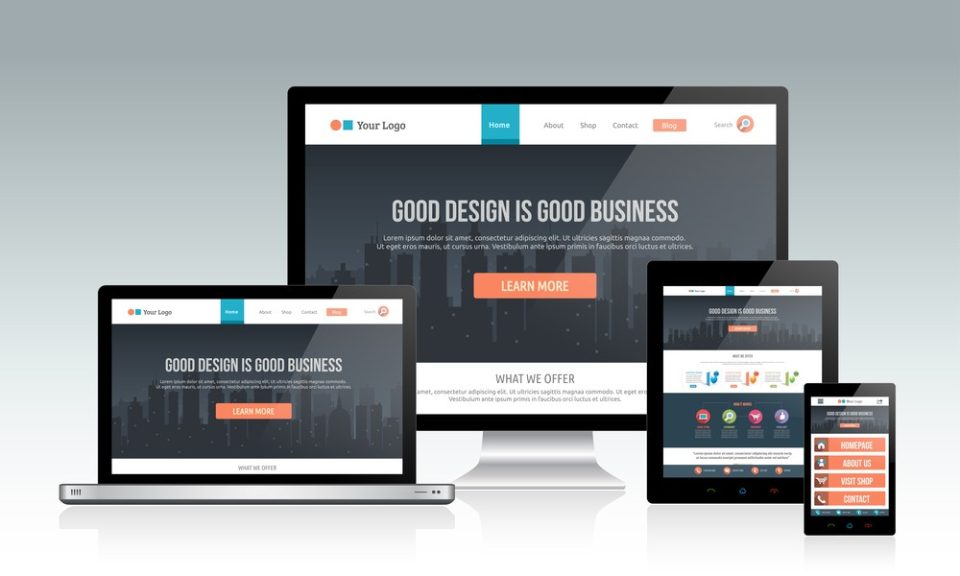
Many SMEs start a website project with a simple goal, get more enquiries, then get stuck halfway because the scope keeps changing. The page list grows, the structure becomes messy, and the mobile version starts to feel slow or cramped. Some sites go live without proper tracking, so you cannot tell which pages bring leads, and the content plan becomes an afterthought. A website can look decent and still fail to support the business if customers cannot find answers quickly or do not feel confident enough to contact you.
This guide gives you a practical checklist to plan the pages, organise the structure, prepare content, test the site before launch, and keep improving after it goes live. It is written to help you compare vendors, avoid rework, and build a site that supports real enquiries over time. If you are considering website design kl for your business, the sections below will help you get the scope and setup right from the start.
What should a business website include in Malaysia
A business website should help people understand your service fast, trust you quickly, and contact you easily. It also needs to be easy to manage, so the site stays updated as your business grows. For many SMEs, Website development Malaysia is successful when it supports enquiries, not just page views.
Here are the essentials every business website should include:
- A clear service message
State what you do and who it is for in simple words. Your main offer should be obvious within a few seconds.
- Proof that builds trust
Show portfolio work, reviews, testimonials, and case studies. Use real examples and place them where visitors will see them early.
- Easy contact paths
Add a WhatsApp button, call button, and a simple enquiry form. Do not hide contact details at the bottom only.
- Mobile-first layout and speed
Make sure text is readable, buttons are easy to tap, and pages load quickly on mobile data.
- Basic SEO setup
Use clean URLs, clear headings, and page titles that match what people search for. Link related pages together so the website is easy to understand.
- Tracking for enquiries
Track WhatsApp clicks, call clicks, and form submissions so you know which pages bring leads and what needs improvement.
Website planning checklist for SMEs in Malaysia before hiring a developer
- Business goals and lead goals
Start with one clear goal so the website build stays focused. Choose one main goal: enquiries, calls, bookings, or quote requests. Define what a “good lead” means for your business
- Service area you cover
- Type of job you want
- Budget range you are comfortable with
- Urgency level you can handle
This makes it easier to design the right pages and write the right content.
- Page list you should decide early
Decide the page list before design starts. It prevents the scope from growing every week.
- Homepage
- About
- Contact
- Service pages (list how many you need and the exact service names)
- Portfolio / Projects
- Testimonials
- FAQ (standalone page or FAQs placed inside service pages)
- Blog (only if you plan to publish regularly)
- Content you must prepare
Missing content is one of the biggest causes of delays. Prepare this early so the project moves smoothly.
- Service details, process steps, and typical timeline
- Photos, screenshots, portfolio items, reviews, and proof materials
- Business details such as location, hours, phone number, email, and service areas
Planning these details also affects cost. Website design price Malaysia changes a lot when the scope includes content writing, content rewriting, content migration, or portfolio organisation, so it helps to decide early what you can provide and what you want the vendor to handle.
How to structure website pages for SEO and enquiries
Homepage role
Your homepage should stay focused. It is not the place to explain every detail. It should help visitors understand your business quickly, then guide them to the right page.
- Keep the message simple: what you do and who you help
- Highlight your main services and link to the service pages
- Place proof early, such as reviews, client logos, or project highlights
- Add one clear next step, like WhatsApp, call, or enquiry form
Service pages role
Service pages are where most enquiries should come from because they match what people search for.
- Create one page per service with clear details and what is included
- Add FAQs that answer buying questions such as timeline, process, and service coverage
- Place proof near the top, such as before-and-after photos, portfolio examples, or testimonials
- Add a clear call to action in natural spots, near the top and near the end
Trust pages that increase conversions
Trust pages often decide the enquiry. Many visitors check these right before they contact you.
- Portfolio and testimonials placement
Make them easy to find in the menu, and show key proof on service pages too, not only on one portfolio page. - About page credibility checklist
Explain who you are, what you specialise in, how long you have been doing it, and why customers choose you. Add real photos if possible. - Contact page that removes friction
Show WhatsApp, phone, email, and a short form. Add service areas and a map if location matters.
This structure supports SEO and conversions, especially for businesses investing in website design in KL, because it keeps pages clear, connected, and easy to act on.
Website speed and mobile checklist before launch
Mobile checks
- Buttons are tap-friendly and not too close together
- Text is readable without zooming
- Spacing is clean so sections do not feel cramped
- No broken layouts, overlapping elements, or cut-off content
- Key sections display properly on small screens, especially service and contact sections
Speed checks
- Images are uploaded in the right size, not oversized files
- Images are compressed so pages load faster
- Heavy scripts are removed if they are not needed
- Plugin usage is clean and controlled, no unnecessary add-ons
- Key pages load smoothly on mobile data, not just on WiFi
Form checks
- WhatsApp button opens the correct chat link
- Call button works on mobile and dials the correct number
- Enquiry form sends successfully and you receive the email notification
- Form fields are simple and do not ask for too much
- A thank-you message or confirmation shows after submission
Tracking setup for WhatsApp, calls, and forms
Tracking is how you know which pages bring real leads. Without it, you only see traffic, and you cannot tell what is working.
Set up these tracking items:
- WhatsApp click events
Track every tap on your WhatsApp button so you can see which pages drive messages. - Call click events
Track taps on the phone number or call button, especially on mobile. - Enquiry form submissions
Track when someone successfully submits the form, not just when they view the page. - Thank-you page views
If you use a thank-you page after form submission, track it. This is a clean way to count completed enquiries.
Simple rule to follow:
- Track each lead source separately (WhatsApp, calls, forms). Each one behaves differently, and you want to know which channel converts best and which pages drive it.
WordPress or custom CMS for SMEs in Malaysia
When WordPress is enough
WordPress works well for most SMEs when the website is used to explain services, show proof, and collect enquiries.
- Easier publishing for blogs, landing pages, and new service pages
- Easier edits for text, images, and sections without depending on a developer
- Faster updates when you need small changes done quickly
This is why many SMEs choose a WordPress website design company, especially if they want a site that stays simple to manage after launch.
When Custom cms development is worth it
Custom cms development becomes more suitable when the website needs to support internal operations, not just marketing.
- Team roles and access, where different staff need different permissions
- Workflows such as approvals, multi-step processes, or internal handling
- Dashboards that show data or manage requests
- Member areas for gated content, portals, or customer logins
When you need custom web development services
Some websites behave more like a system than a standard site. That is when custom web development services are worth considering.
- Complex forms with logic, multi-step flows, or quote builders
- Stable integrations that must work consistently with CRM, payments, or booking tools
- System-like features that cannot run properly on plug-and-play setups
Website development malaysia launch phases
A clear timeline keeps the project moving and reduces last-minute changes. If you are planning website development malaysia for your business, these phases help you know what should happen and what to check at each stage.
Phase 1: Discovery
- Confirm the main goals of the website (enquiries, calls, bookings, quotes)
- Finalise the page list and structure so navigation stays clean
- List out content needs for each page, including proof items
- Decide who approves content, design, and final launch so feedback stays organised
Phase 2: Design
- Confirm the homepage layout and key sections
- Approve the service page template so all service pages stay consistent
- Approve trust page templates such as portfolio and testimonials
- Check mobile layout direction early, not at the end
Phase 3: Development
- Build mobile first so layout works on smaller screens
- Set up speed basics such as image handling and clean scripts
- Set up forms and contact flow (WhatsApp, call, enquiry form)
- Install tracking for lead actions so you can measure performance after launch
Phase 4: Content upload
- Upload copy and images for each page
- Add FAQs and proof sections where they support decisions
- Add internal links between related pages so users can move to the right next step
- Check that headings are clear and pages do not feel empty
Phase 5: Testing and launch
- Mobile tests across different screen sizes
- Speed tests on key pages, including service pages
- Form tests to confirm enquiries are received properly
- Tracking tests for WhatsApp clicks, call clicks, and form submissions
- Final review, then launch when everything passes the checklist
What to publish after launch to increase rankings
Content types that support enquiries
After your website is live, rankings improve faster when you publish content that supports decisions, not just general topics. Start with content that answers real buyer questions and pushes readers to the right service page.
Content types to publish first:
- Service-support posts
Write posts that answer buyer questions people ask before they enquire, such as process, timeline, service coverage, what is included, and common mistakes to avoid. - Comparison content
Create comparisons that help people choose, such as service A vs service B, package differences, or which option fits certain needs. - Proof content
Publish case studies, results, before-and-after examples, and project breakdowns. Proof content helps visitors trust you faster and improves conversions.
This is the kind of publishing plan that usually works well in Content marketing Malaysia, especially when it is handled with a clear structure and proper intent.
Common mistakes that stop websites from getting leads
- No clear service pages
Everything is dumped into the homepage, so visitors cannot find the exact service they need. Google also struggles to rank the right page. - Weak proof and trust signals
The site has claims, but no real examples. No portfolio, no reviews, no case studies, or proof is hidden too far down the page. - No tracking setup
The site goes live, but you cannot measure WhatsApp clicks, calls, or form submissions. You end up guessing what works and what to improve. - Slow mobile pages
Pages load slowly, sections look cramped, and buttons are hard to tap. Visitors leave before they even reach the contact section. - Backend is hard to update
Updates take too long or require a developer every time, so content stops getting improved and the website slowly becomes outdated.
Frequently Asked Questions
- What is included in website development Malaysia for SMEs?
It usually includes planning, page structure, design, mobile build, contact forms, basic SEO setup, content upload, testing, and launch support.
- How do I choose a website design kl vendor?
Compare scope and quality, not just price. Check their portfolio, mobile performance, service page structure, tracking setup, and after-launch support.
- What affects website design price Malaysia the most?
Scope is the biggest factor, including number of pages, custom sections, copywriting, SEO-safe migration, integrations, and testing requirements.
- Is WordPress enough for a business website in Malaysia?
For most SMEs, yes. WordPress is practical for service websites because it is easier to update, publish content, and scale with new pages.
- Do I need Content marketing Malaysia after launch?
If you want to grow rankings and organic traffic, yes. Content helps you target more searches and bring visitors to your service pages over time.
